-Challenge
Manual content creation and scheduling consumed HR and admin bandwidth, produced inconsistent messaging, and made it hard to keep communications personalized and theme-aligned across teams.

Mobiele ontwikkeling
Kunstmatige intelligentie
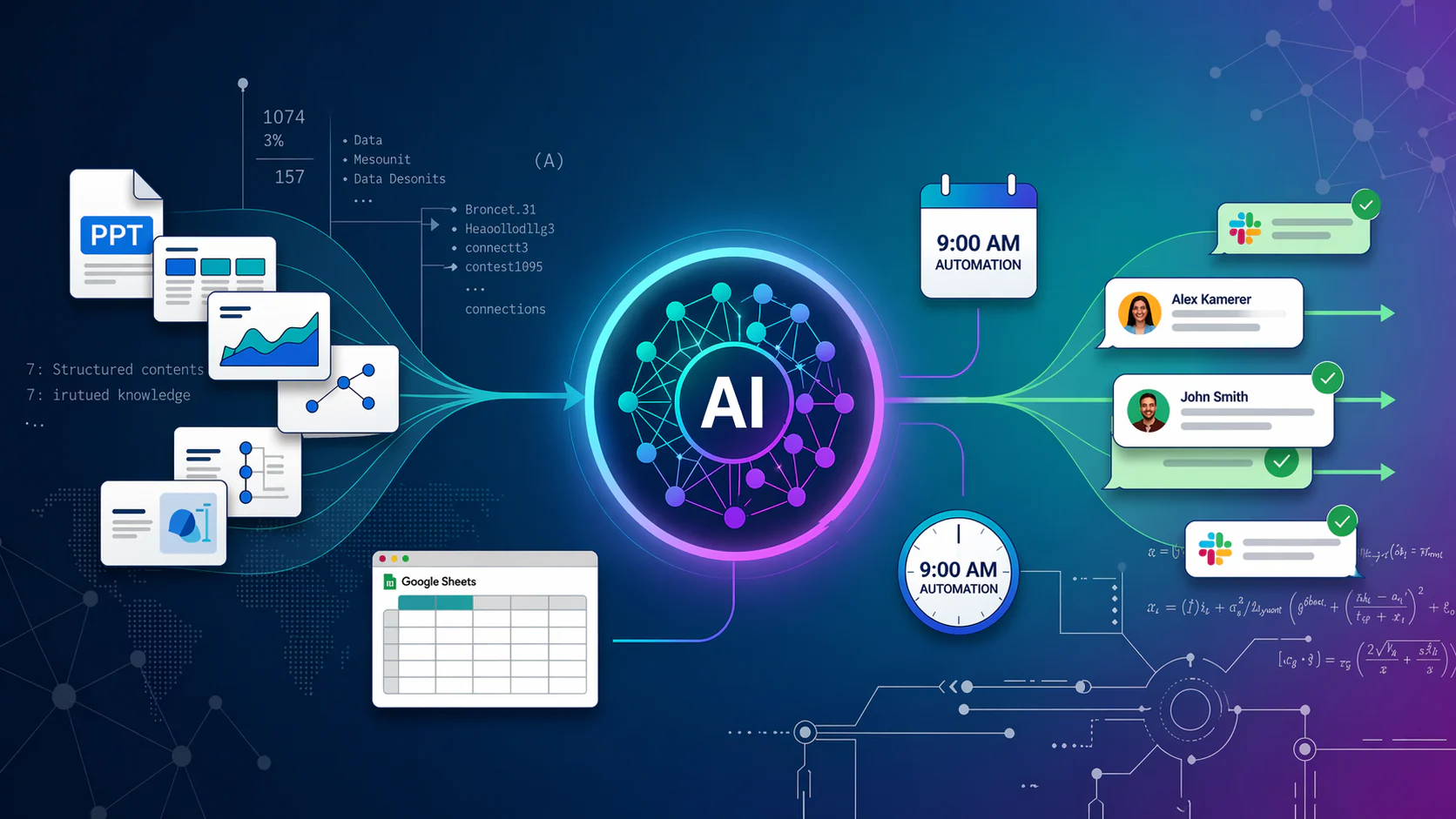
A Slack-based AI content automation system that turns PPT knowledge, semantic search, and Google Sheets scheduling into personalized messages delivered to teams automatically every morning.
Manual content creation and scheduling consumed HR and admin bandwidth, produced inconsistent messaging, and made it hard to keep communications personalized and theme-aligned across teams.
TeamShare combines AI-powered PPT parsing, semantic retrieval, personalized content generation, and spreadsheet-driven scheduling so non-technical teams can run internal communications from one lightweight workflow.
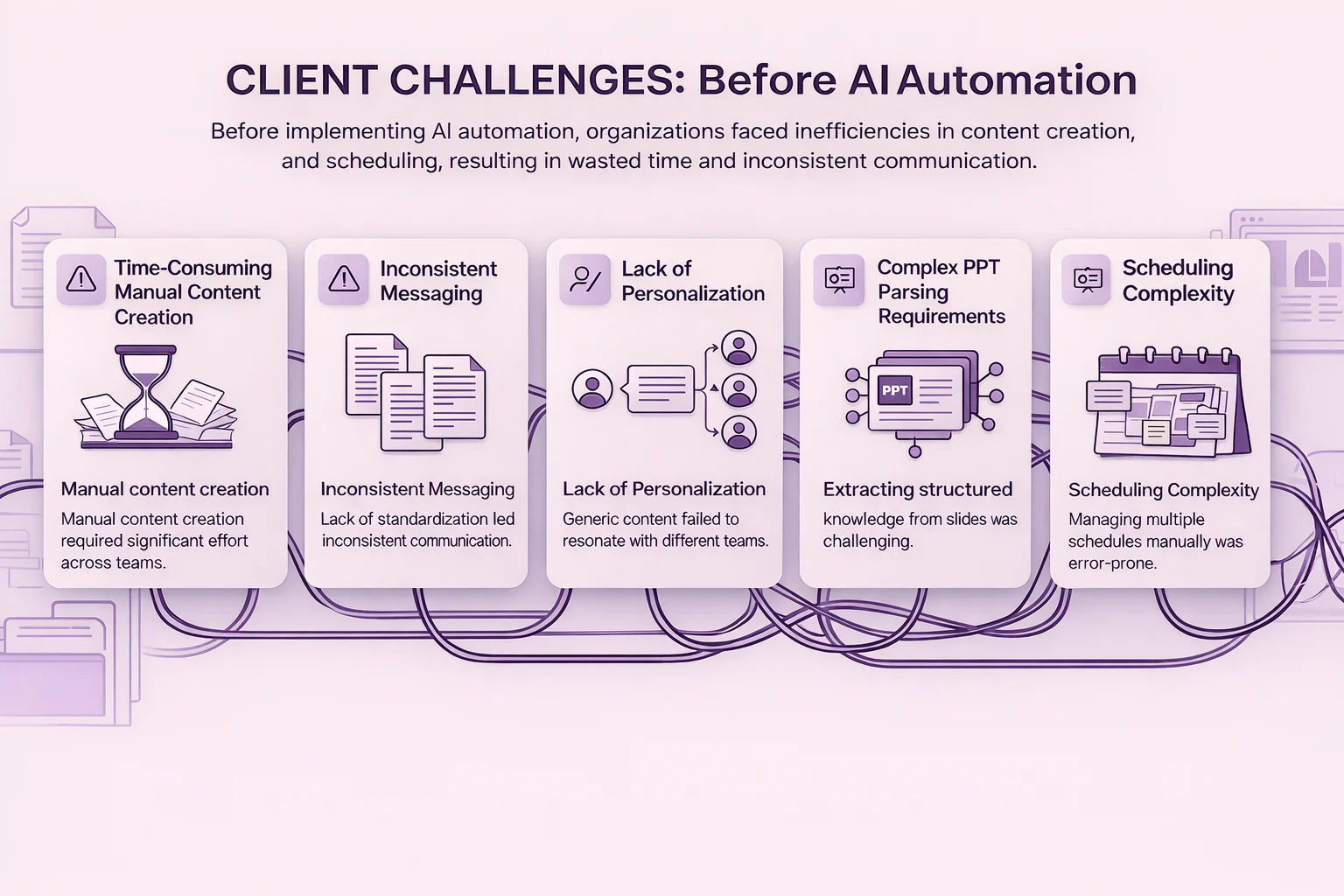
HR and admin teams spent significant time preparing and distributing themed content manually across departments, turning a repeatable workflow into a daily operational drain.
Without automation, different teams received messages with different tones, formatting, and levels of detail, weakening communication quality and organizational consistency.
Generic updates did not reflect team context or seminar relevance, making internal communication less engaging and reducing the impact of educational content.
Presentation files contained useful structure and context, but extracting that knowledge required more than plain text parsing. The system needed to understand varied slide layouts and preserve meaning.
Managing multiple delivery timelines across teams created constant follow-up work. Manual scheduling was error-prone and could not scale with evolving seminar calendars.
From presentation ingestion to scheduled Slack delivery, every step is automated so internal communication stays timely, relevant, and easy to manage.
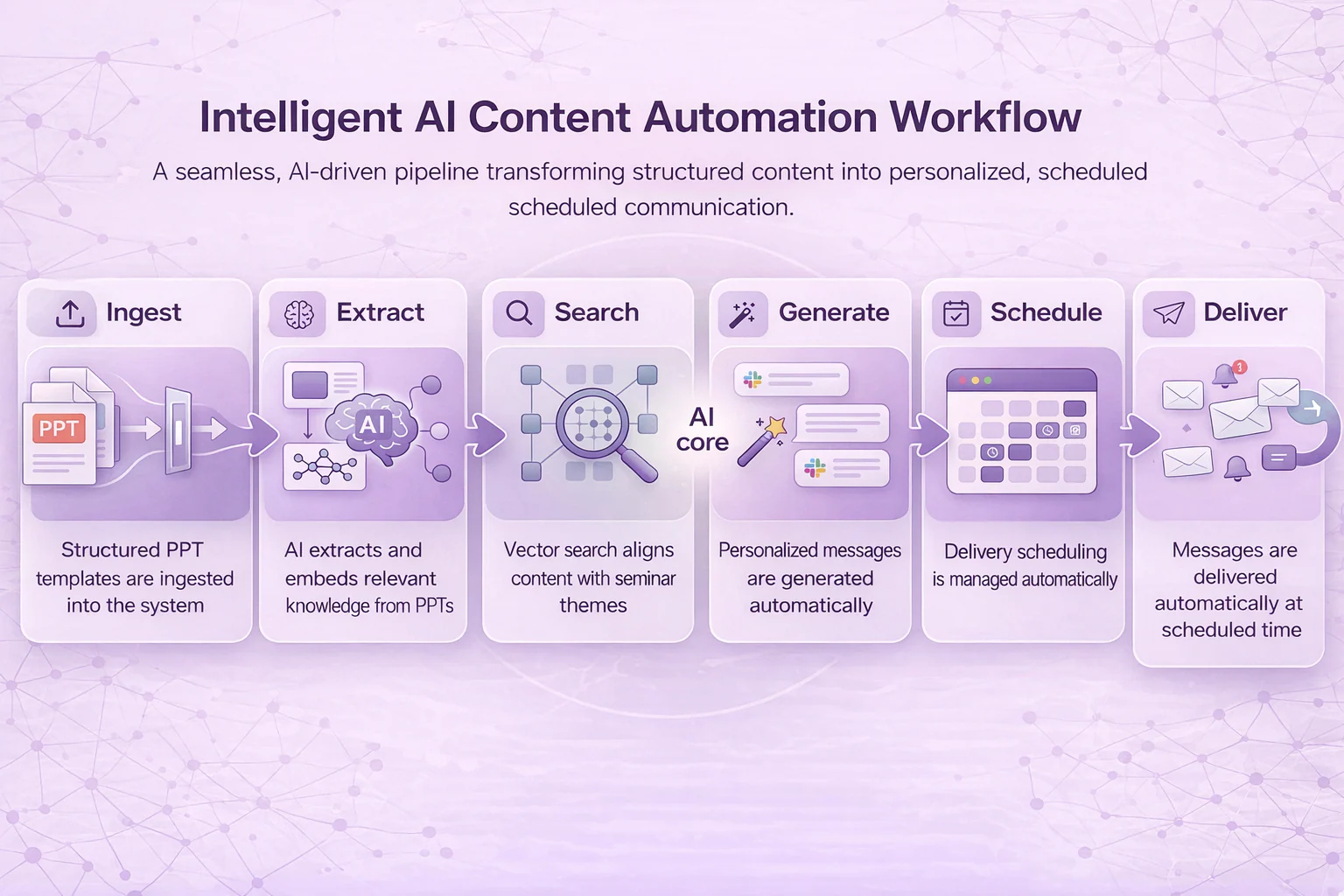
Structured PPT templates containing seminar topics, knowledge points, and communication prompts are fed into the system as the source layer.
AI parses diverse slide structures, extracts relevant knowledge, and turns it into searchable semantic representations for downstream matching.
Pinecone vector search aligns stored knowledge with upcoming seminar themes so content generation stays contextually relevant.
The content engine creates generic or team-specific Slack messages using NLP-driven prompts that preserve organizational tone while tailoring content.
Google Sheets acts as the control layer, letting non-technical stakeholders update schedules in real time without touching code.
Messages are posted to the right channels automatically at 9:00 AM, removing the need for manual execution and follow-up.
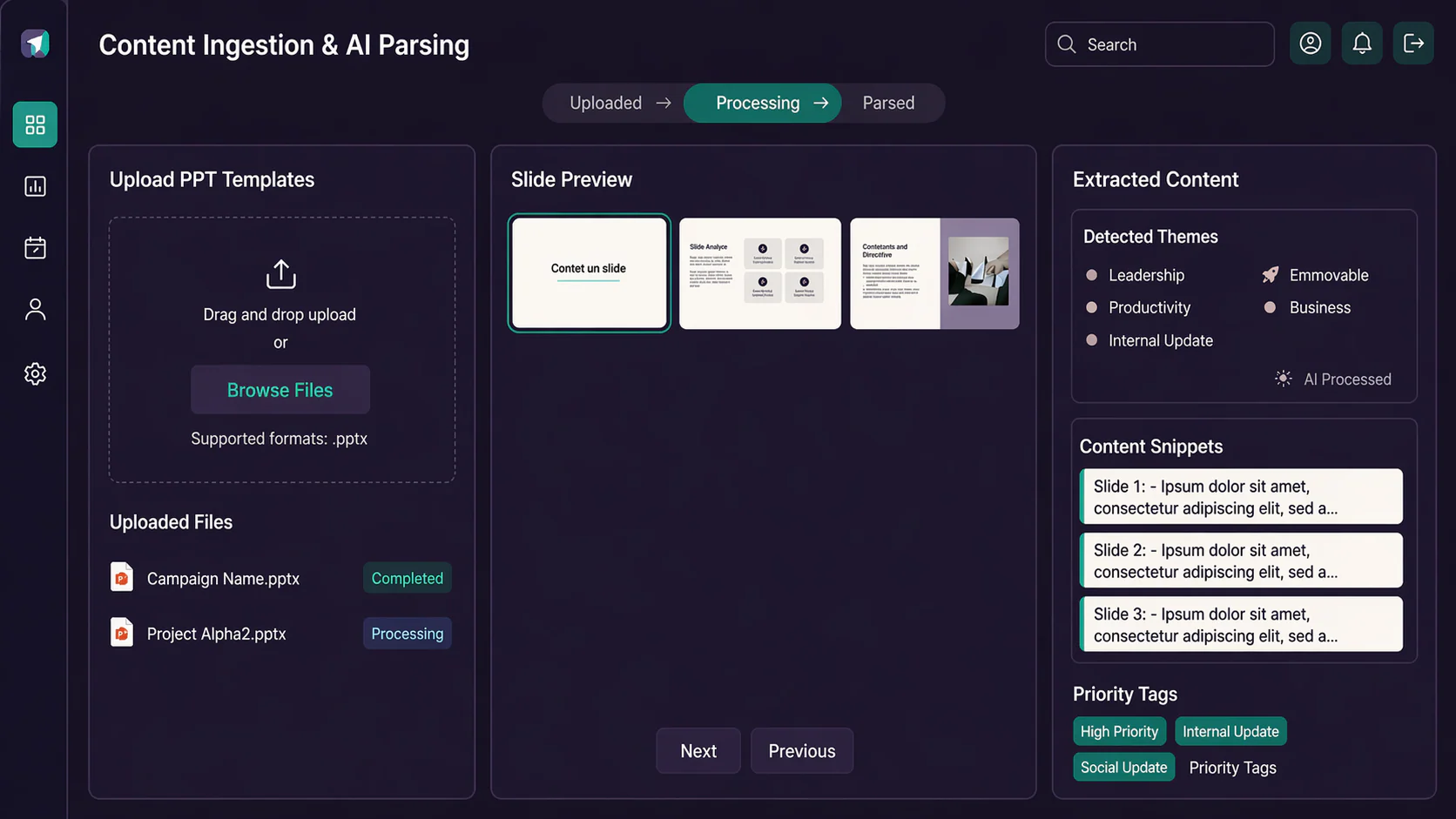
TeamShare intelligently parses structured but diverse slide decks, capturing the seminar knowledge, context, and structure required for downstream content automation.
Pinecone-based retrieval aligns generated communication with the right seminar themes so every message reflects what teams actually need to see next.
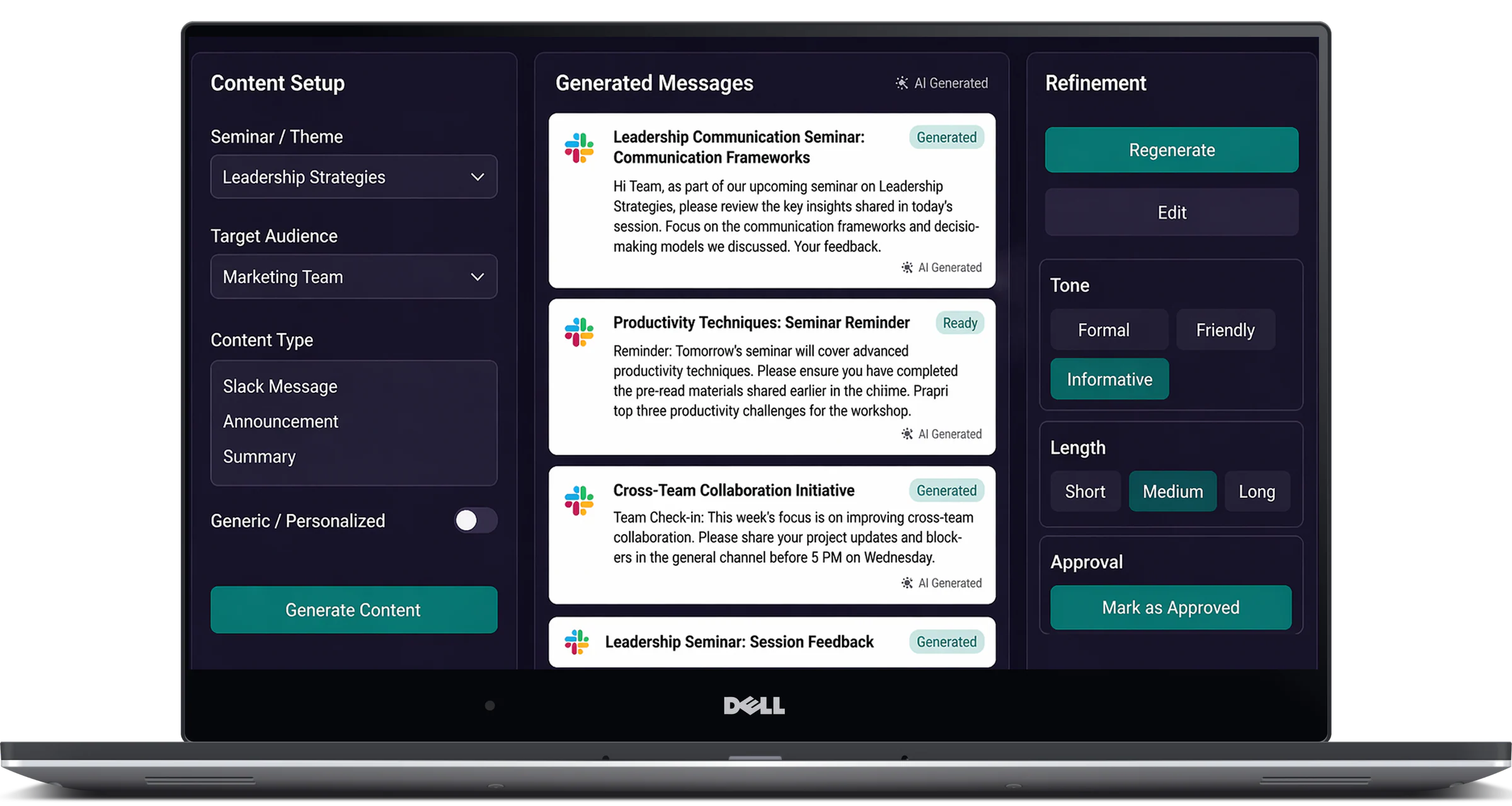
The content engine produces both generic and department-specific Slack copy, helping communications feel consistent at the brand level while still relevant to each audience.
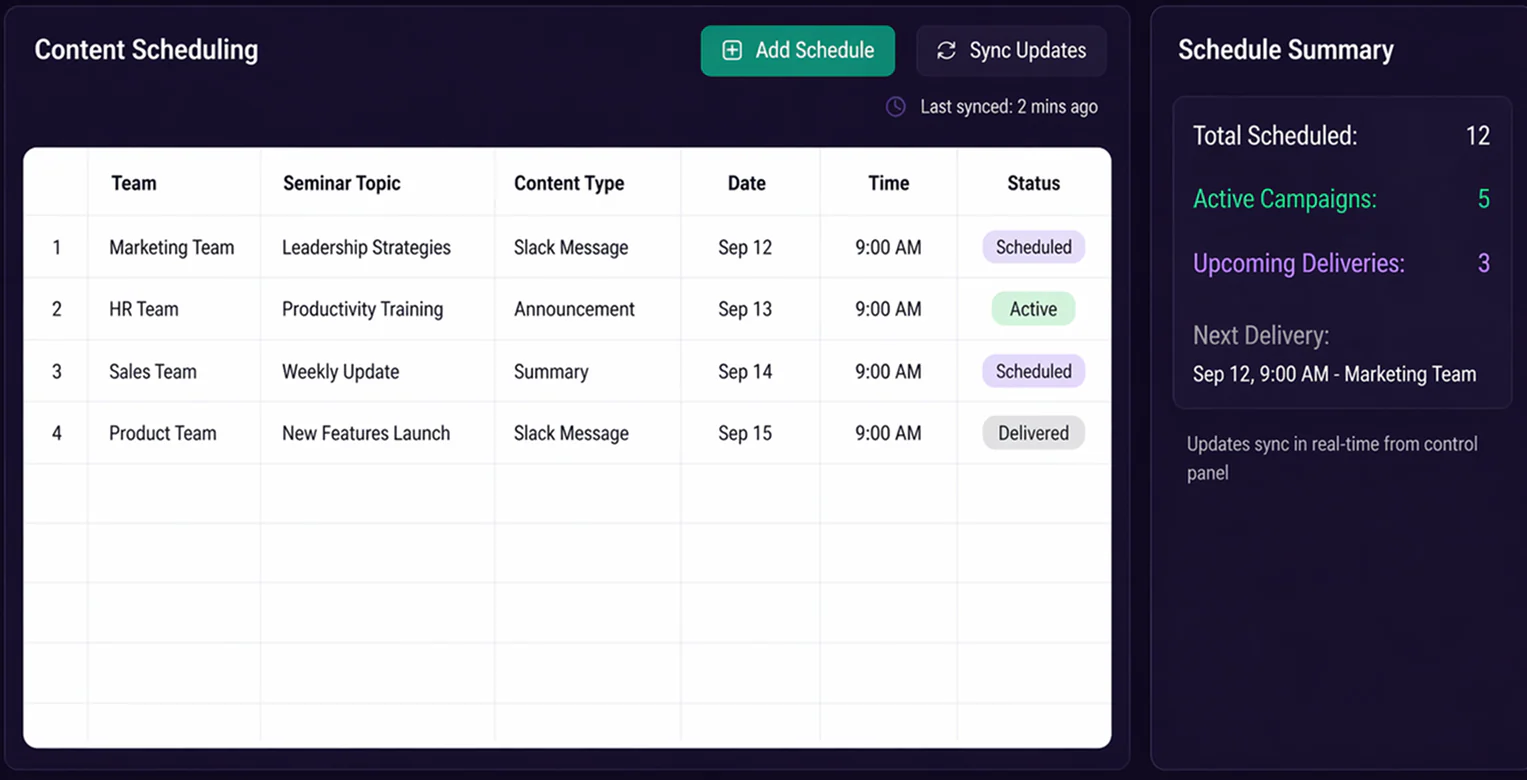
A spreadsheet-driven operations layer gives non-technical teams direct control over timing and delivery logic, making schedule updates immediate and accessible.
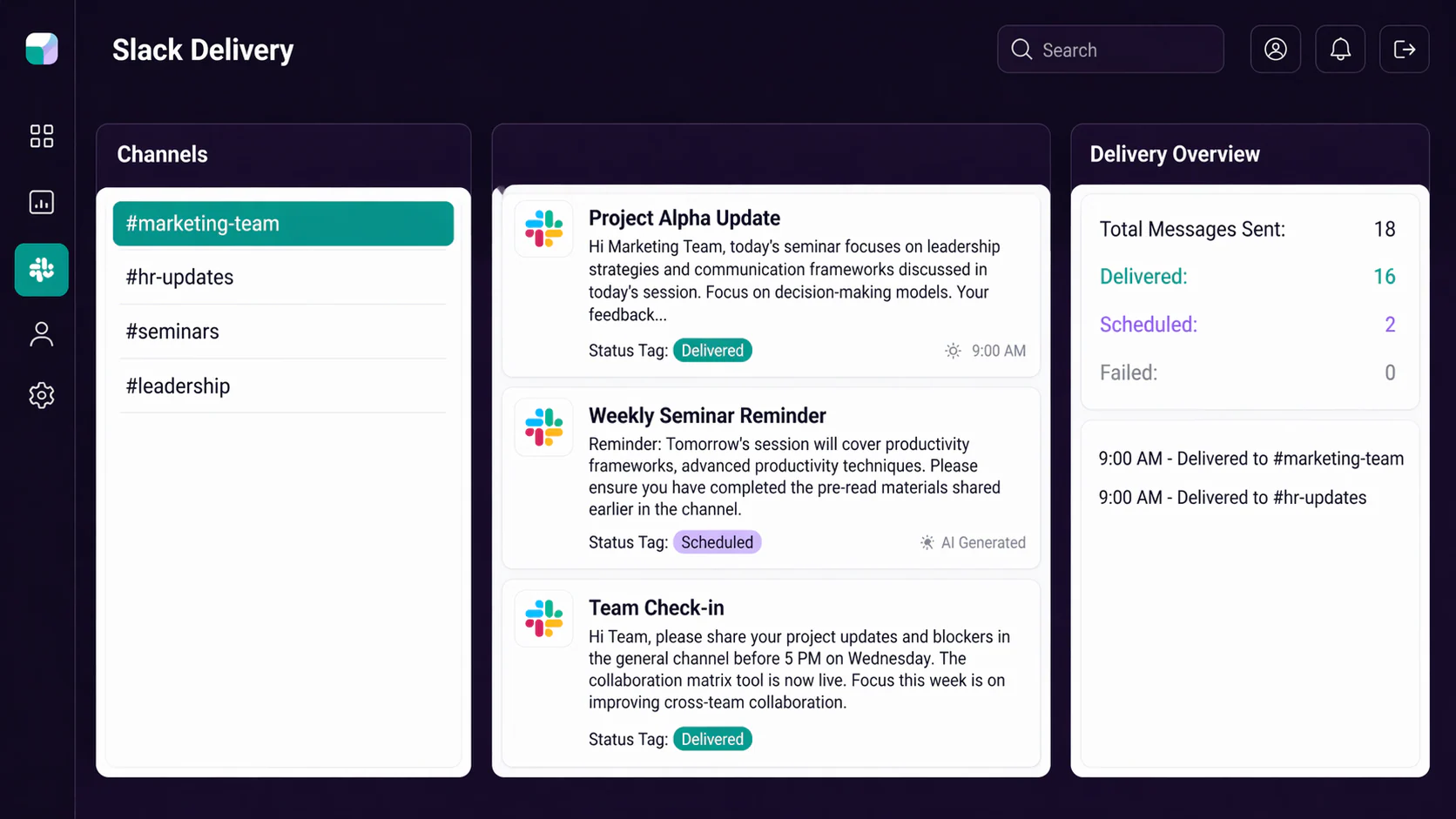
The bot publishes content directly in Slack channels, embedding automation into the team’s existing communication workflow with no extra tool switching.
From ingestion through generation and delivery, the full workflow runs automatically, reducing repetitive work while preserving accuracy, consistency, and timing.
TeamShare turned internal communications into a reliable AI-assisted operation, improving speed, consistency, and engagement without increasing operational complexity.
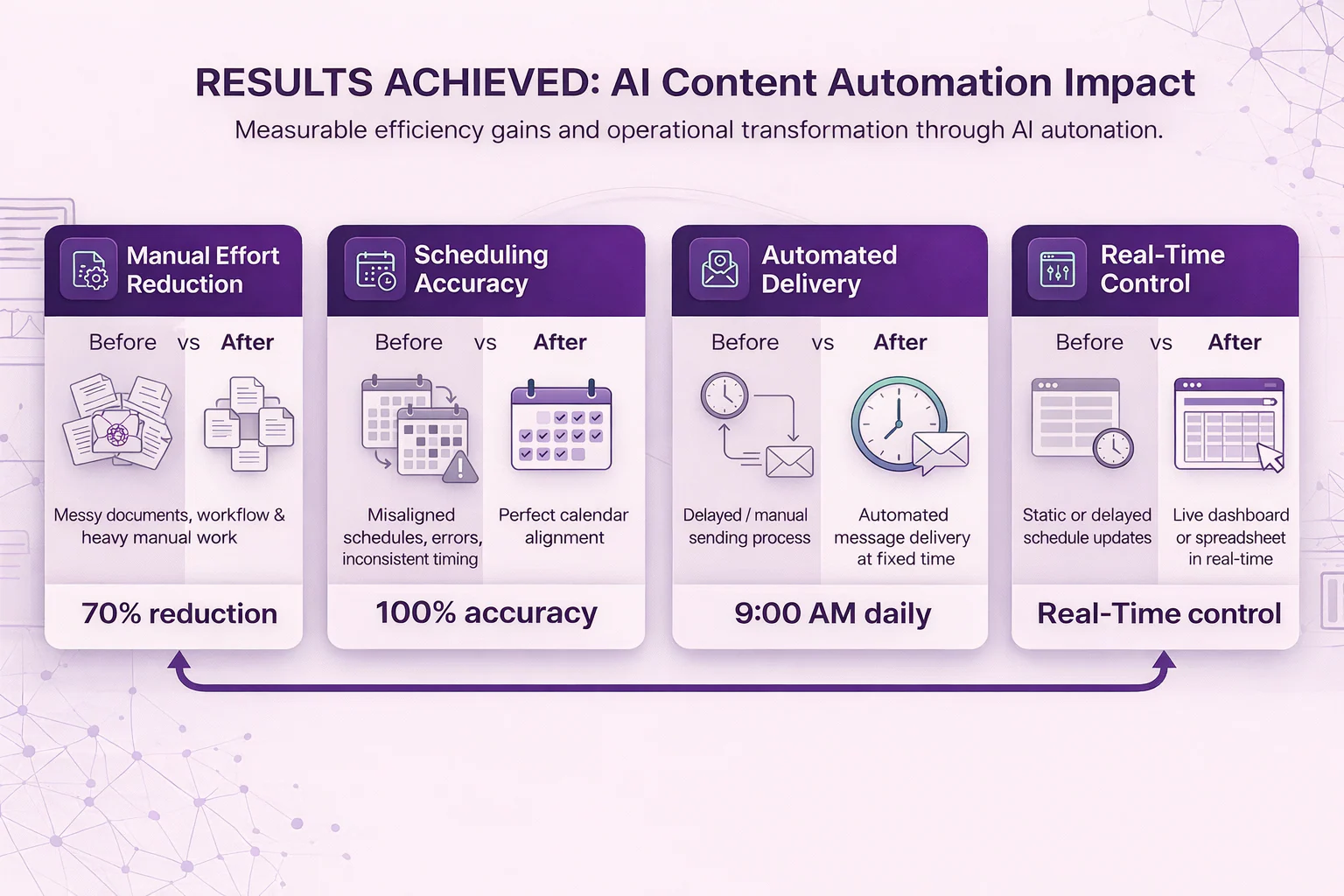
This project shows that AI content systems work best when they understand source material semantically, not just as raw text. PPT parsing and vector retrieval made quality automation possible.
Google Sheets became a simple control plane for a sophisticated workflow, proving that strong automation can still be easy for internal teams to manage day to day.
By living in Slack, TeamShare meets people where they already work. That reduces adoption friction and turns automation into a natural part of communication ops.
The system demonstrates that automation does not have to mean generic messaging. With the right retrieval and prompting, internal communication can stay both efficient and relevant.

© auteursrechten 2026 Sifars – Mobile & Web App Development Company. Alle rechten voorbehouden Privacybeleid